|
FumeFX is a powerful GPU accelerated fluid dynamics plugin for Autodesk Maya and 3ds Max, designed for simulation and rendering of realistic explosions, fire, smoke and other gaseous phenomena. FumeFX 7.0 introduces GPU-accelerated simulation powered by NVIDIA CUDA, delivering speed improvements of 2× to 5×. When GPU memory becomes insufficient, the simulation automatically switches to CPU mode, ensuring the process can continue without interruption. Unrivaled in its ability to capture the subtlety and complexity of fluid gas behavior it is favored among visual effects artists, game developers, visualization professionals and everyone else who demand the utmost in realism. 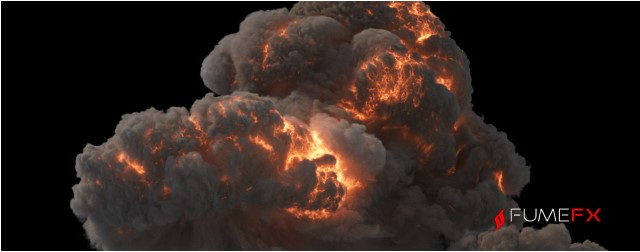
FumeFX GPU provides artists with powerful NVIDIA® CUDA acceleration for dramatically faster simulations, while preserving the realistic fire and smoke behavior that FumeFX is known for. Where many sparse fluid solvers struggle to maintain believable detail and motion, FumeFX GPU excels — delivering both performance and high-end visual quality.
|
|
|
|
Wavelet Turbulence
It's never been easier to add more detail to an existing FumeFX simulation. It is a fast, memory efficient and predictable way to increase grid resolution.
|
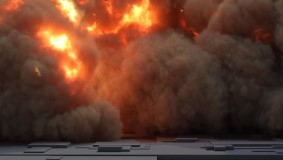
Combustion with
Oxygen
The Fire model within
FumeFX adds Oxygen to the equation. This new component brings forth
various new ways to creatively control the burn process.
|
|
|

|
|
Vorticity
With the addition of
various vorticity models you can choose from visually different curl
types giving your FumeFX simulations a more unique look and feel.
|
Render Warps
Whether you want to
create a special effect or need to tweak a final animation, with Render
Warps there are many more possibilities. With just a few mouse clicks
users can warp their cached simulation and watch the resulting
deformation directly inside the 3ds Max Viewport, or in rendered images.
|
|

|

|
|
Effectors
Gain creative control
over almost every simulation parameter and field. With Effectors it is
simple to control vorticity by velocity or to generate smoke based on any
other channel value. Effectors take channel data to the next step.
|
Post Processing
The Post Processing
lets you retime caches, bake Render Warps, convert between various
formats, or improve cache fetch and save disk space by excluding channels
that are no longer needed in your workflow.
|
|
| |
|
|
for 3ds Max® 2022-2026, Maya® 2024-2026 (Windows)


|