|
FumeFX 6 is multiphysics plug-in for 3ds max that integrates fluid dynamics with node-based system that includes particles, rope, rigid body dynamics, cloth, soft body dynamics, inflatable softbody, voxel grid manipulation, node based access to FumeFX simulation and sources, character animation control and other. With over 140 ready to use nodes artists can create a completely new range of visual effects directly inside the FumeFX package more efficiently and cost-effective than ever before. Controlling FumeFX simulation or modifying existing caches by using a modern node based workflow opens up endless possibilities. Artist will benefit from direct support of Arnold points, splines, instances, volumes, custom channels and procedurals.
Copyright Sitni Sati 2023.
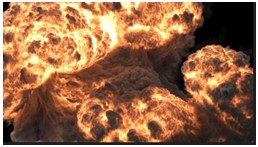
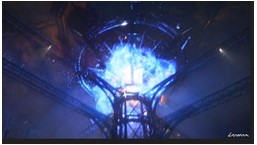
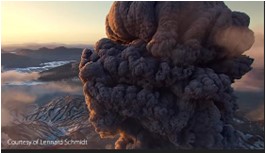
Fluid Dynamics The FumeFX simulation core has been constantly improved and refined to deliver high level of realism with minimal simulation times. With over 17 years of successful usage in film production, video games, the advertisement industry and other areas that require realistic fire and smoke have helped in shaping the fluid simulation package that users can rely on. Whether making a candle dancing on the wind or destroying a whole city block in 2012 movie style, FumeFX can help you deliver the shot on time and within budget.
|
|
|
|
The Solver
The QCG solver in
FumeFX is optimized for speed and robustness. It has complete control
over the realism vs speed balance.
|
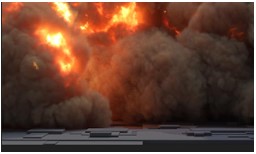
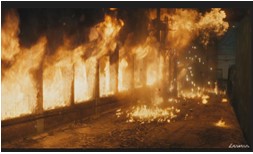
Combustion with
Oxygen
The Fire model within
FumeFX adds Oxygen to the equation. This new component brings forth
various new ways to creatively control the burn process.
|
|
|
|
|
Vorticity
With the addition of
various vorticity models you can choose from visually different curl
types giving your FumeFX simulations a more unique look and feel.
|
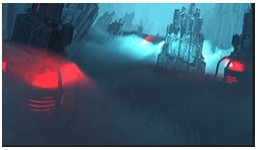
Render Warps
Whether you want to
create a special effect or need to tweak a final animation, with Render
Warps there are many more possibilities. With just a few mouse clicks
users can warp their cached simulation and watch the resulting
deformation directly inside the 3ds Max Viewport, or in rendered images.
|
|
|

|
|
Effectors
Gain creative control
over almost every simulation parameter and field. With Effectors it is
simple to control vorticity by velocity or to generate smoke based on any
other channel value. Effectors take channel data to the next step.
|
Post Processing
The Post Processing
lets you retime caches, bake Render Warps, convert between various
formats, or improve cache fetch and save disk space by excluding channels
that are no longer needed in your workflow.
|
|

|
|
|
N-Sim
It is a great time
saving solution. This allows the user to simulate multiple overlapping
grids simultaneously while all fields propagate between the overlapping
grid boundaries automatically.
|
Wavelet Turbulence
It's never been
easier to add more detail to an existing FumeFX simulation. It is a fast,
memory efficient and predictable way to increase grid resolution.
|
|
|


|